How to Create and Customize a View in Dataverse
In Microsoft Dataverse, views define how users see and interact with data. A view is essentially a filtered and structured representation of a table, allowing users to focus only on the most relevant information.
In this tutorial, you will learn how to create a view, customize columns, reorganize data, and publish your changes.
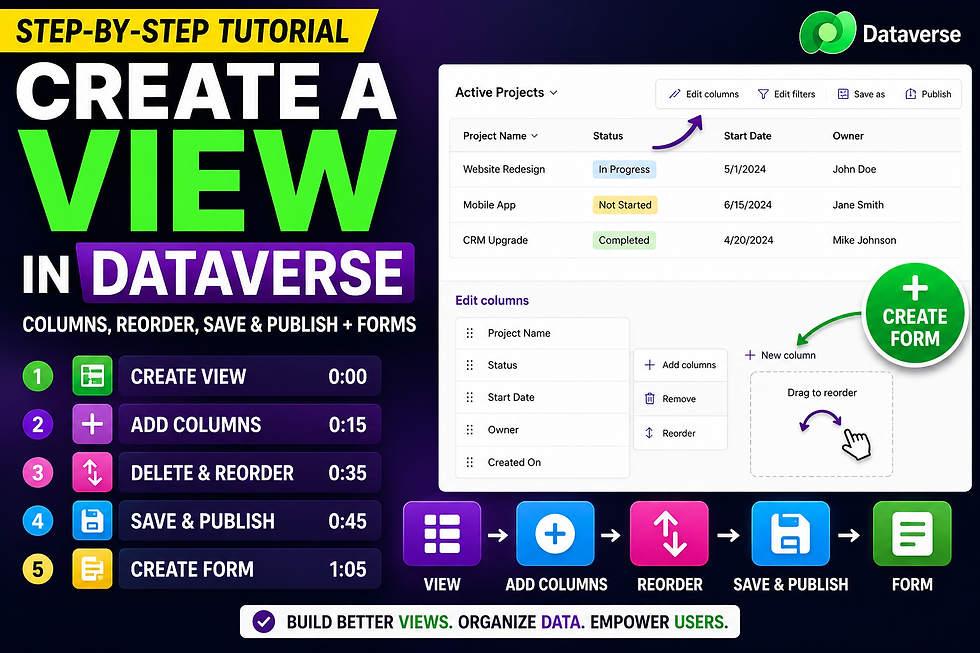
Creating a View
A view is used to display data from a Dataverse table in a structured format.
To create a new view, you start by selecting the desired table and creating a new view layout. This gives you a blank structure that you can customize based on your needs.
Views are essential because they control how data is presented to end users inside model-driven apps.
Adding Columns to the View
After creating a view, the next step is selecting which columns should be visible.
Common examples include:
Project Name
Status
Start Date
By selecting only relevant fields, you ensure that users are not overwhelmed with unnecessary data and can focus on what matters most.
Reordering and Removing Columns
Once the columns are added, you can refine the view by:
Removing unnecessary fields
Reordering columns based on importance
This improves usability and ensures that the most important information appears first, enhancing the overall user experience.
Saving and Publishing the View
After customizing the view, you must save and publish it.
Saving stores your configuration, while publishing makes the view available to users in the environment. Without publishing, users will not see your changes.
This step is essential in ensuring that your updates are reflected in production.
Creating a Form
Forms define how users view and edit individual records within Dataverse.
With forms, you can:
Add or remove fields
Organize layout sections
Improve the data entry experience
Forms and views work together: views control list-level data, while forms control record-level interaction.
Summary
In this tutorial, you learned how to:
Create a Dataverse view
Add and configure columns
Reorder and remove fields
Save and publish views
Create and customize forms
These concepts are critical for building user-friendly and professional Power Apps solutions using Dataverse.


Comments